 Venzy
VenzyPrefer a marker
and a whiteboard?
Keep them. Capture the Rocks, Issues, To-Dos, and ratings after the session. You don’t have to facilitate from a laptop.
For EOS Implementers and their teams
Clients, session prep, follow-ups, and invoicing. One place to run your practice, with your whole team alongside you.
30-day free trial. $200/month for your whole practice. No setup fee.
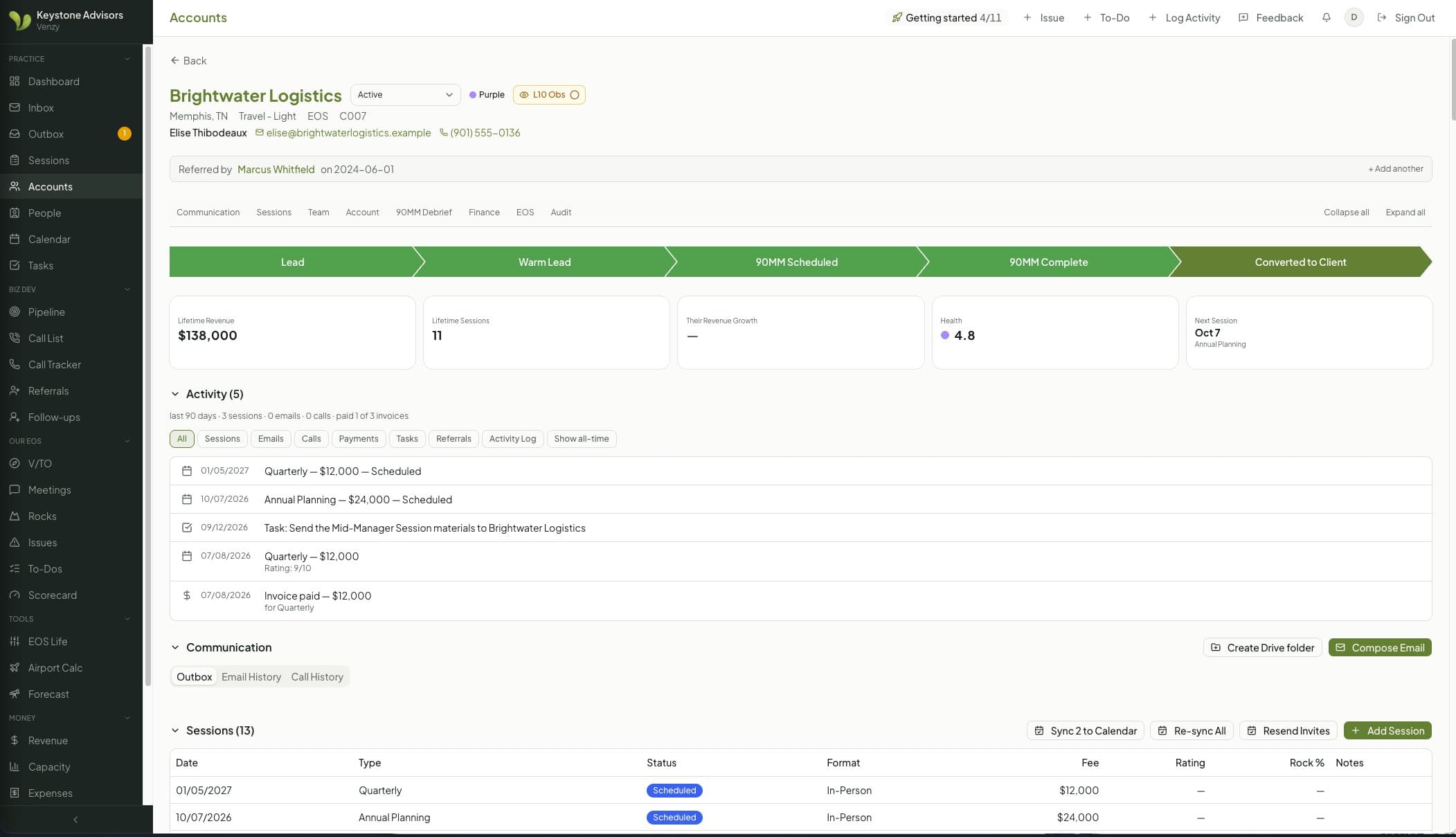
Prep emails, reminders, and tasks follow the date.

The story behind Venzy“I once discovered a client, a friend, with no sessions booked. My notes from his last session even said we still needed to schedule his year. The note was there. The follow-through wasn’t. He’s still a client, but that’s the day I started building Venzy. Now a note like that becomes a task with an owner, and the first thing I see each week is who needs a session, a call, or an invoice, before it costs me a relationship.”
From one session to the next
The session is only part of the work. Venzy connects what happens before, during, and after it, with Gmail, Google Calendar and QuickBooks built into the workflow.
When you book
Schedule the session and invite the client. Prep, wrap-up and travel time land on your Google Calendar, and your protected days stay visible.
Before the session
Your playbook queues the emails and tasks. Send automatically, or review each draft in your Outbox before it goes out from your Gmail.
In the room
Use the agenda and timers live. Or stick with your whiteboard and record Rocks, Issues, To-Dos, and ratings afterward.
After you wrap up
Capture the day on the client record. Follow-up tasks have an owner, and invoices go out through QuickBooks on each client’s terms.
Your process, remembered
Build a playbook for each session type. Choose the timing, the recipients, and whether an email goes out automatically or waits for your review.
You still decide what gets sent.
Venzy remembers when.
Built for the whole practice
Implementer, practice manager, assistant: everyone on your practice gets their own login, and you choose which pages each person sees. One price covers all of them. Solo today? Your team can join the day you hire.
The work only you can do
The business side
The details
The details come from doing the work
Keep them. Capture the Rocks, Issues, To-Dos, and ratings after the session. You don’t have to facilitate from a laptop.
Welcome forms capture the little things. Birthday reminders arrive two weeks early, so there’s time to put a card in the mail.
Bring in your history without triggering emails or billing. And if an import isn’t right, you can undo it.
Pricing
No per-seat fees. Whether you run it solo or with a team, everyone who helps run your practice is included.
$200/month per practice
or $2,000/year (2 months free)
Founding practices keep this price for life.
A practical place to start
See how Venzy fits the way you work. Bring your practice manager or assistant, and your questions about moving over.
30 minutes with Lyn. No pitch deck, just Venzy running a practice.
Import clients, contacts, and past sessions from three EOS CRM exports. Duplicate checks and undo are built in.
Gmail, Google Calendar, Google Drive, and QuickBooks Online. Your emails and invoices still come from your practice.
Every plan starts with a 30-day free trial with a card on file. $200/month or $2,000/year per practice, no setup fee, and founding practices keep their price for life.
For running your practice, yes. Clients, contacts, pipeline, sessions and follow-up all live in Venzy. The EOS CRM stays your official record with EOS Worldwide, so you still log completed sessions there for designation. Bring your history in from it on day one.
Everyone gets their own login, and it costs nothing extra. One price covers you, your practice manager and your assistant. You choose which pages each person sees.
Venzy works without it; invoicing connects to QuickBooks today.
Yes. Practice managers can run setup and control what everyone sees.
$200 a month or $2,000 a year per practice, with your whole team included. Every plan starts with a 30-day free trial with a card on file, there is no setup fee, and founding practices keep their price for life.
Yes, anytime from Manage billing. You keep Venzy until the end of the period you’ve paid for.
A Google account for each person. Most Implementers already sign in with their EOS Google account.
Yes. Ask and we’ll send you a complete export of your practice’s data (clients, people, sessions, notes and invoices) as spreadsheets. Imports can be undone, and you choose which pages each person on your team can see.